
The rewrite is clean. It is also wrong.
Your odd, sharp sentence has become a sensible one. The hesitation that mattered is gone. Every clause moves smoothly, and the paragraph could now belong to almost anyone.
This is the tension inside every AI writing assistant. A suggestion can solve the visible problem while removing the reason the sentence felt like yours. The answer is not to reject every tool or accept every fluent response. It is to control the size of the help.
When you know what you are asking the assistant to do, you can use it for direction, structure, continuation, or revision without handing it the whole voice of the piece.
Start by naming the writing problem yourself
Before opening an AI tool, finish this sentence: "I am stuck because..."
The answer should describe the work, not your mood. "I do not know which example makes this claim concrete" gives you something to ask. "This paragraph is bad" does not. Neither does "Make it better."
Broad requests give an AI writing assistant permission to solve several problems at once. It may change the argument, tone, length, vocabulary, and rhythm even though you only needed a transition. The response can sound accomplished because it has replaced the page's decisions with safer ones.
A narrow diagnosis creates a narrow request:
| When the draft feels stuck | Name the problem | Ask for |
|---|---|---|
| The subject is too broad | I have a topic but no useful angle | Five specific questions the piece could answer |
| The material has no order | I know the points but not their sequence | Two possible outlines using only these points |
| The next paragraph will not start | I know what must happen next | Three opening moves, not a finished paragraph |
| A passage feels unlike the rest | The register changed here | A diagnosis of the difference before any rewrite |
| The sentence is crowded | One sentence carries two or three claims | Two ways to divide it without adding information |
The table is less exciting than asking for a finished article. That is partly why it works. It keeps your unresolved decisions visible.
Use ideas to create pressure, not content
Idea generation is most useful before a draft has committed to a direction. In Riikee, you can ask for an idea or a more specific angle from the subject you provide.
Treat the response as a set of doors. You do not need to walk through the most polished one. Look for the question that irritates you, the angle you want to dispute, or the missing option that becomes obvious only after you see the list.
Then write the direction in your own words. A single sentence is enough: "This essay is about why saved research becomes useless when it has no path back into a draft." That sentence gives the next session a boundary and gives later AI requests something concrete to respect.
If you paste an AI-generated idea directly into the opening, the tool has already begun setting the language of the piece. If you use the idea to decide what you think, the prose can still begin with you.
Let an outline expose choices
An outline can reveal a missing step, a repeated point, or an ending that has not been earned. It should not become a contract simply because it arrived in numbered form.
Riikee can create an outline from a topic or from text already on the page. Ask it to use only the material you have supplied when you want to inspect your current argument. Ask for alternative sequences when the problem is order rather than coverage.
Read the outline against the draft:
- Which section contains the question you actually care about?
- Which heading merely repeats the introduction?
- What would you remove if the piece had to be half as long?
- Where does the outline make a claim your material cannot support?
Delete freely. Combine headings. Keep the awkward part that belongs to your real subject. The outline has done its job when it helps you see the decisions, even if very little of it survives.
Ask continuation to cross one gap
Continuation is tempting because it can make a blank lower half of the page disappear. It is safer when you already know the destination.
Before asking an AI writing assistant to continue, leave two anchors. State what the next passage must accomplish and where it must stop. For example: "Continue until the reader understands why the timer pauses. Do not introduce benefits or conclude the section."
The boundary prevents a local request from turning into an invented argument. It also makes the result easier to judge. You can ask whether the passage crossed the named gap instead of asking whether it sounds generally good.
In Riikee, the continuation tool can use the current writing as context. The response remains separate until you choose to insert it. Read the last sentence before the gap and the first sentence after it aloud. If the rhythm changes sharply, keep the useful thought and write the bridge again yourself.
Select only the text that needs help
A whole-document rewrite invites the assistant to normalize everything. Selection-based tools reduce that surface area.
In Riikee, select a passage to rewrite, expand, shorten, adjust tone, check spelling and expression, or ask for advice. The command begins beside the language you are considering, so you do not have to move the draft into a separate chat and reconstruct its context.
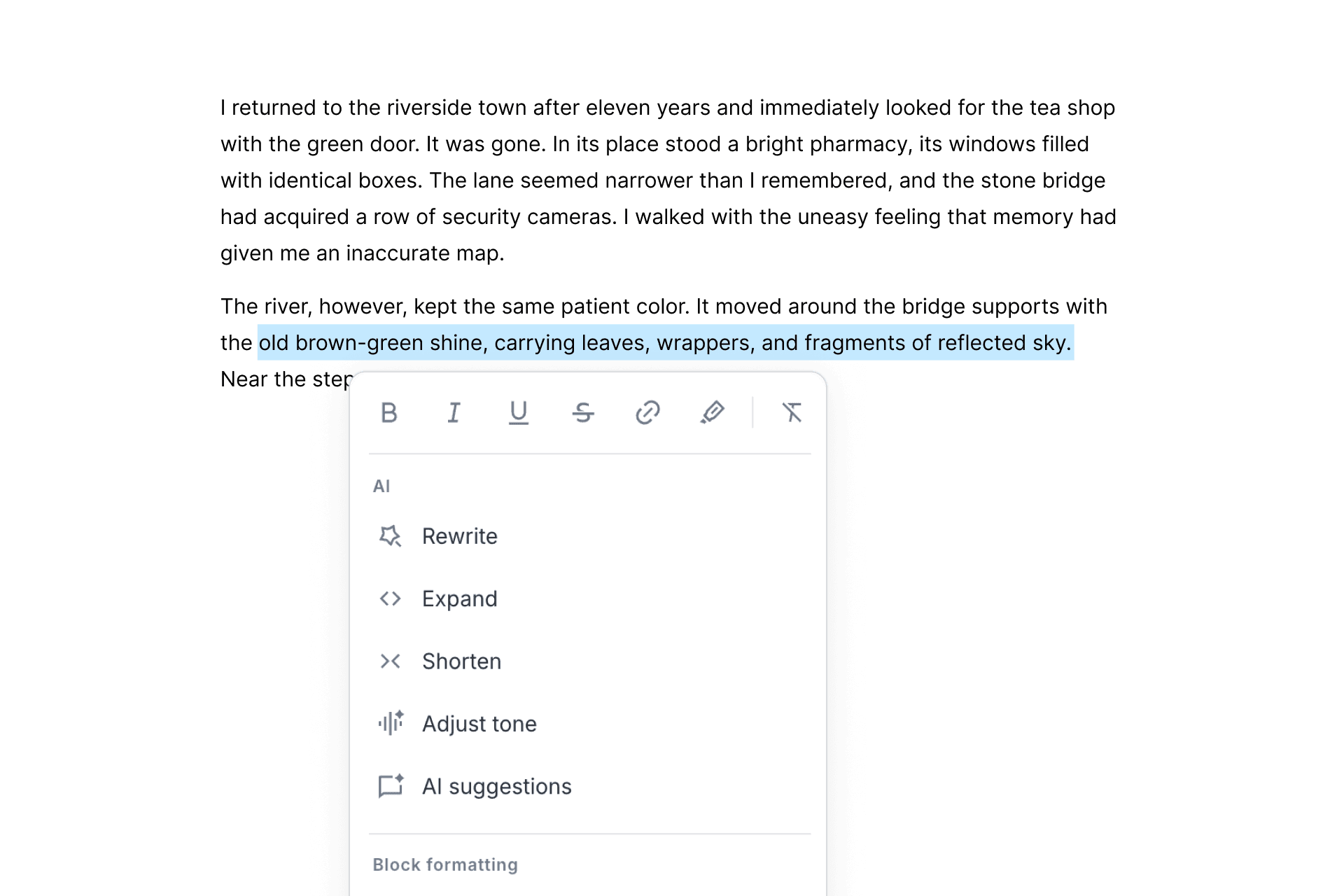
Choose the smallest operation that matches the problem. Shorten a crowded paragraph without asking for a new tone. Ask for advice when you are still deciding what is wrong. Use a spelling and expression check when the argument is settled and the words need a final pass.
"Rewrite" is the broadest option. Add constraints when a detail must survive: keep the first-person perspective, preserve the uncertainty in the final sentence, do not add facts, or keep the image of the empty station.
Compare before you replace
Riikee keeps an AI response apart from the original passage. You can replace the original, try again, or cancel. That pause is a useful part of the writing process.
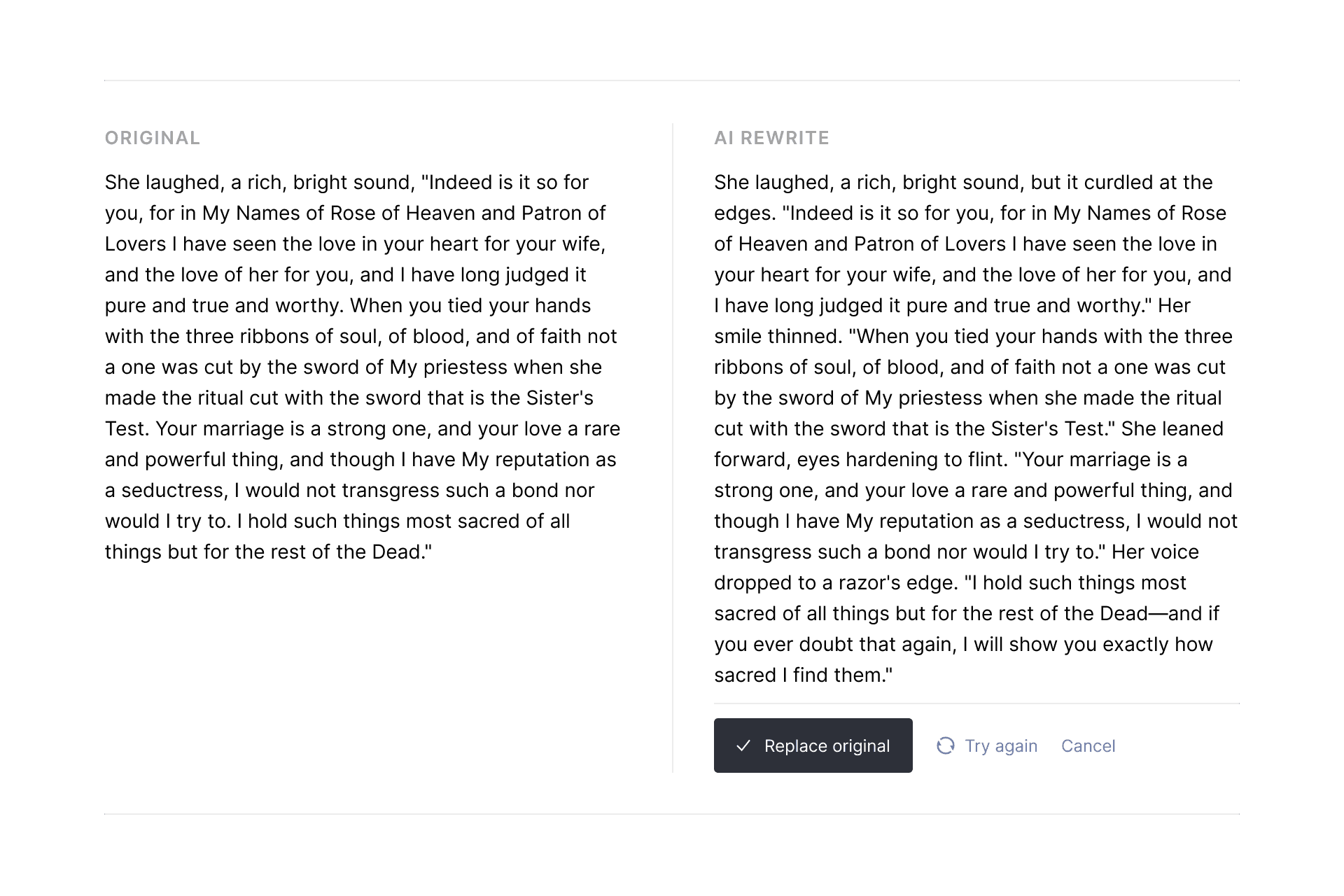
Do not begin by asking which version sounds more professional. Ask what changed.
Did the response make a claim stronger than your evidence allows? Did it remove repetition that was creating rhythm? Did it replace a plain word with one you would never use? Did a specific image become a general explanation?
Sometimes the AI version is better. Sometimes one sentence is useful. Often the comparison shows you how to revise the original without accepting either version whole. Canceling is a complete outcome, not a failed use of the tool.
Treat Preserve my voice as a direction
Riikee's Preserve my voice setting asks the assistant to keep suggestions especially close to the style already present in your writing. It can reduce the jump between your paragraph and the response.
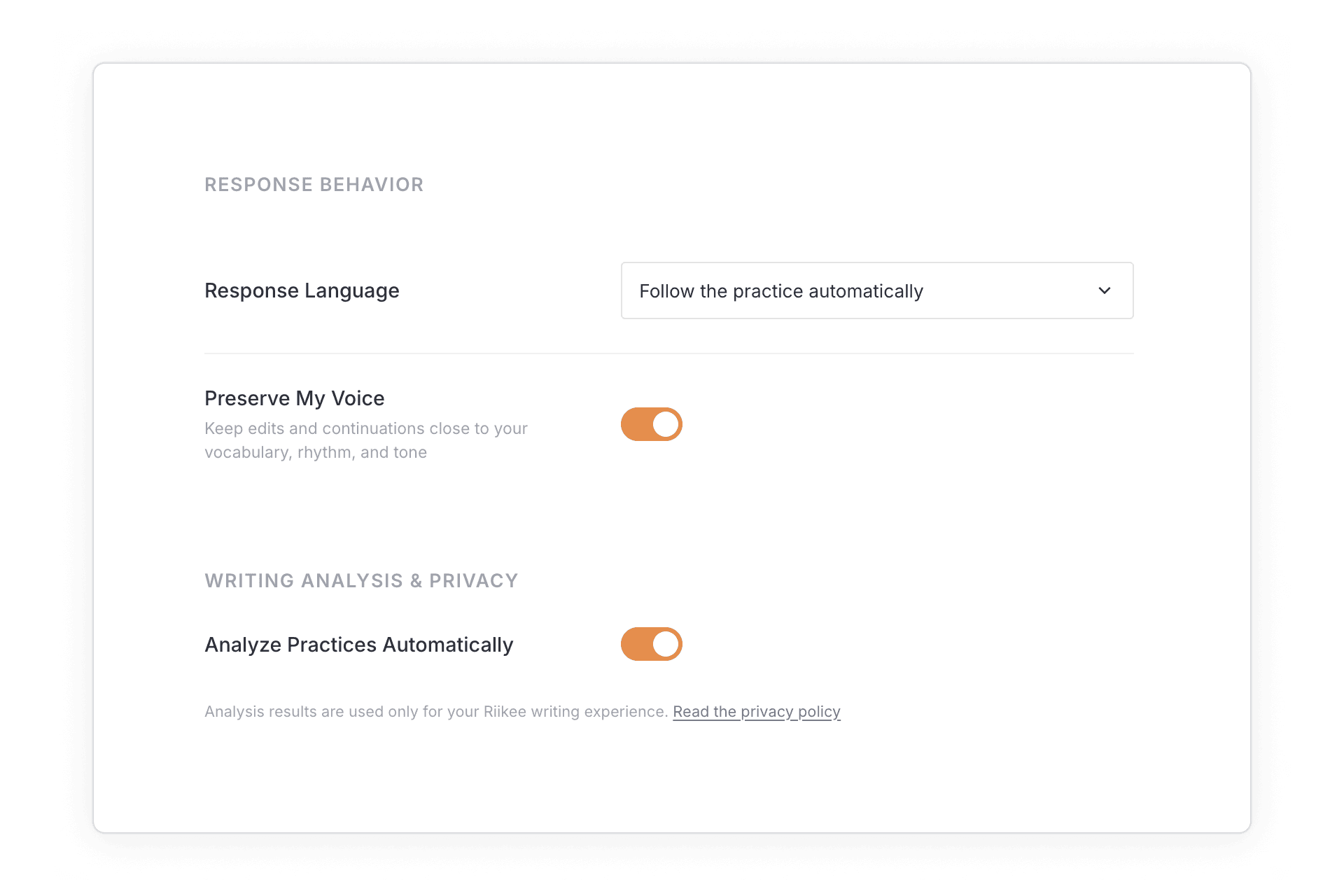
No setting can guarantee that generated text sounds like you. Voice is more than average sentence length and common vocabulary. It includes what you notice, what you leave unresolved, where you allow a rough edge, and which explanation you refuse because it is too easy.
Use Preserve my voice as a first filter. Then read for your own habits. If you normally qualify a claim, check whether the suggestion has made it absolute. If your prose uses short interruptions among longer sentences, make sure the response has not flattened everything into one pace.
Your editing remains the final voice control.
Keep a few sentences AI-free
Every piece has sentences that determine its identity. The first honest account of why you care, the central claim, a difficult admission, and the ending often deserve to begin without generated prose.
Mark those areas before you use AI. You can still ask for a spelling check later, but do not ask the assistant to decide what they mean.
This boundary changes the relationship with the tool. AI can help arrange material around the core without manufacturing the core itself. The parts carrying your judgment remain recognizably yours because they began as your decisions rather than a response you edited into acceptability.
There is no universal percentage. A technical explainer may use more assistance for structure and clarity. A personal essay may reserve most of the draft. Decide by function, not by guilt.
Verify facts outside the assistant
Fluent language can hide a weak claim. An AI writing assistant may provide a plausible date, source, quotation, or explanation that is incomplete or false.
Treat generated facts as leads, not evidence. Open the primary source. Confirm names, dates, numbers, quotations, and product behavior. If you cannot verify a detail, remove it or state only what you know.
The same rule applies when the assistant modifies your existing claim. A rewrite can quietly turn "may" into "will" or "some" into "most." Those tiny changes affect meaning more than style.
Riikee is not a fact checker or citation manager. Its AI tools can help with language and direction, but you remain responsible for what you keep and publish.
Know what counts as your writing
Riikee separates AI-inserted text from the words you write and retain during a Writing Session. Text inserted by AI does not count toward your daily words-written total.
That boundary keeps the habit data focused on your activity. An AI response can help a draft move, but generating 500 words is different from writing and keeping 500 words. The Riikee word count guide explains how retained words, revisions, deletion, and AI insertion are recorded.
The distinction is useful beyond the counter. When an AI passage enters the draft, make it pass through your attention. Read it, test it, and rewrite whatever you could not defend as your own editorial choice.
Know when writing leaves the page
When you deliberately use a Riikee AI writing tool, the instruction and the portion of writing needed for that task go to Riikee's server and an AI provider. Depending on the command, that can include a selection, nearby context, a topic, a title, or the current Writing.
Automatic writing analysis is a separate setting. User-initiated AI tools also use the allowance attached to your plan. Read the Riikee Privacy Policy before submitting sensitive material, and check Settings under Subscription for current usage limits.
This is another reason to keep requests narrow. Selecting the passage that needs help can make the task clearer while limiting the context involved.
A five-minute voice check
Before accepting AI-assisted writing, read the passage once without the response panel and answer five questions:
- Is every factual claim supported by a source I have checked?
- Does the passage say what I believe, including the uncertainty?
- Are there words here I would not normally choose?
- Did a concrete image become a generic explanation?
- Can I explain why I kept each generated sentence?
If the last answer is no, the passage needs another edit. Authorship is not proven by how many keystrokes you made. It shows in whether the final choices are deliberate.
Questions about AI writing assistants and voice
Can an AI writing assistant copy my writing style?
It can respond to stylistic signals in the text and instructions you provide, but that does not guarantee your voice. Review word choice, rhythm, claims, and what the response has made more certain or more generic.
What is the best way to use AI without losing originality?
Use it on a named problem and limit the scope. Ask for questions, options, diagnoses, or a bridge across one known gap. Keep the central claim and the passages carrying personal judgment under your direct control.
Should I use AI for a first draft?
It depends on the work. AI can help test an outline or start a routine document. For writing whose value comes from observation, argument, or personal language, begin the defining passages yourself and use AI around specific obstacles.
Does Preserve my voice guarantee that a suggestion sounds like me?
No. It asks Riikee to keep the response closer to the style already present. You still need to decide whether the language, pace, and degree of certainty fit the piece.
Does Riikee replace my text automatically?
No. AI output remains a suggestion until you choose to insert or accept it. You can compare it with the original, try again, or cancel without replacing the passage.
Can I trust facts generated by an AI writing tool?
Do not treat generated claims as verified. Check primary sources for names, dates, figures, quotations, and technical behavior before keeping them in the draft.
An AI writing assistant is most useful when it handles a visible obstacle without taking over the decisions that make the piece yours. Name the problem, ask for less, and read the result closely enough to know why it stayed.