
A long work needs more than a folder full of drafts.
Riikee Projects give novels, essays, research, and other long-form writing a place to take shape. Related Writings stay together, Sections make the intended order visible, and goals show how the work is moving without turning the page into a task board.
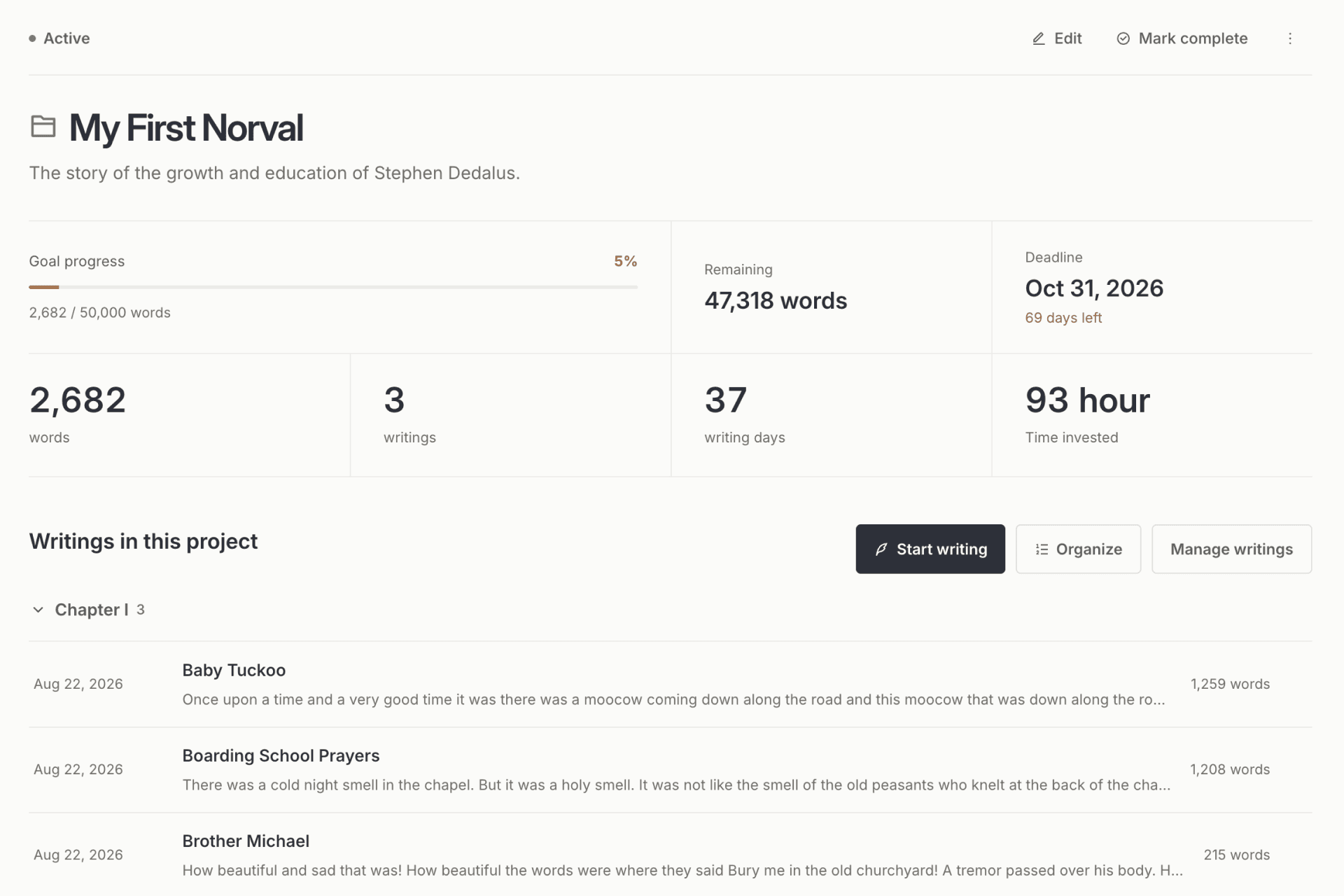
Keep the work together without flattening it
A long work rarely arrives as one document. It grows through chapters, fragments, revisions, and notes written on different days. When those pieces live only in a general library, the writer has to remember the structure every time they return.
A Project gives those Writings one home. Sections can represent parts, chapters, themes, or stages, while Writings that do not yet have a Section remain visible instead of disappearing from the plan.
Begin from the part you mean to write
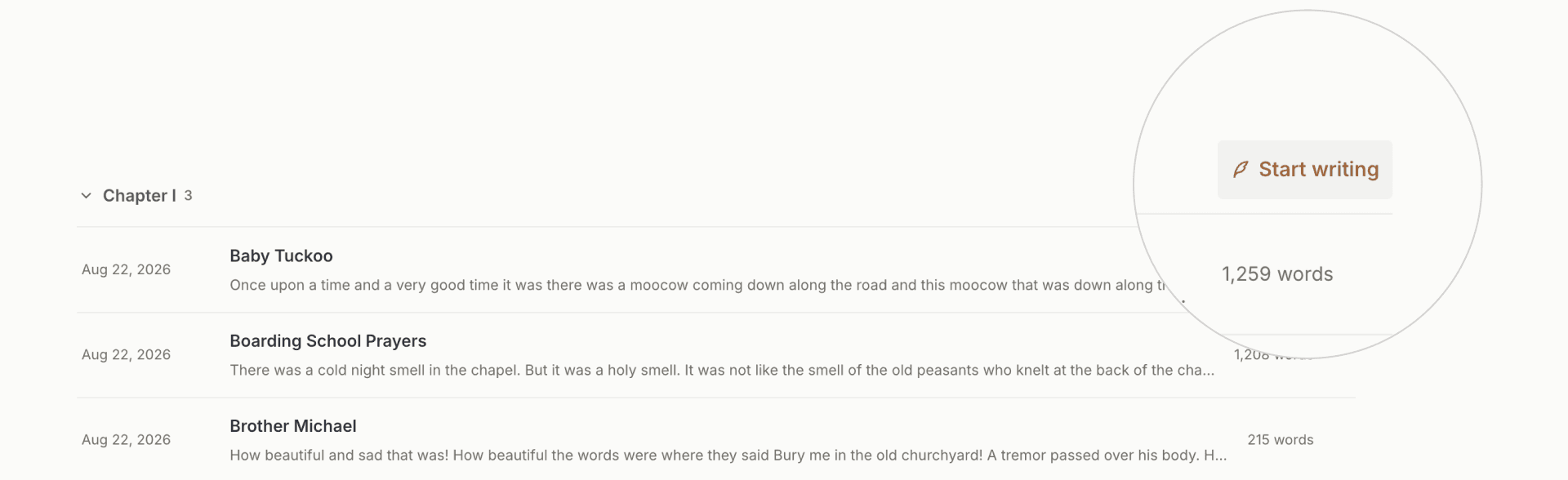
You can add Writings that already exist or start a new one from the Project page. Starting from a Project associates the new Writing automatically. Starting inside a Section also places it in that Section, so organization happens at the moment of intent rather than as cleanup later.
The Project and Section remain visible on the Writing page. You can return to the Project or move the Writing between Sections without leaving the draft behind.
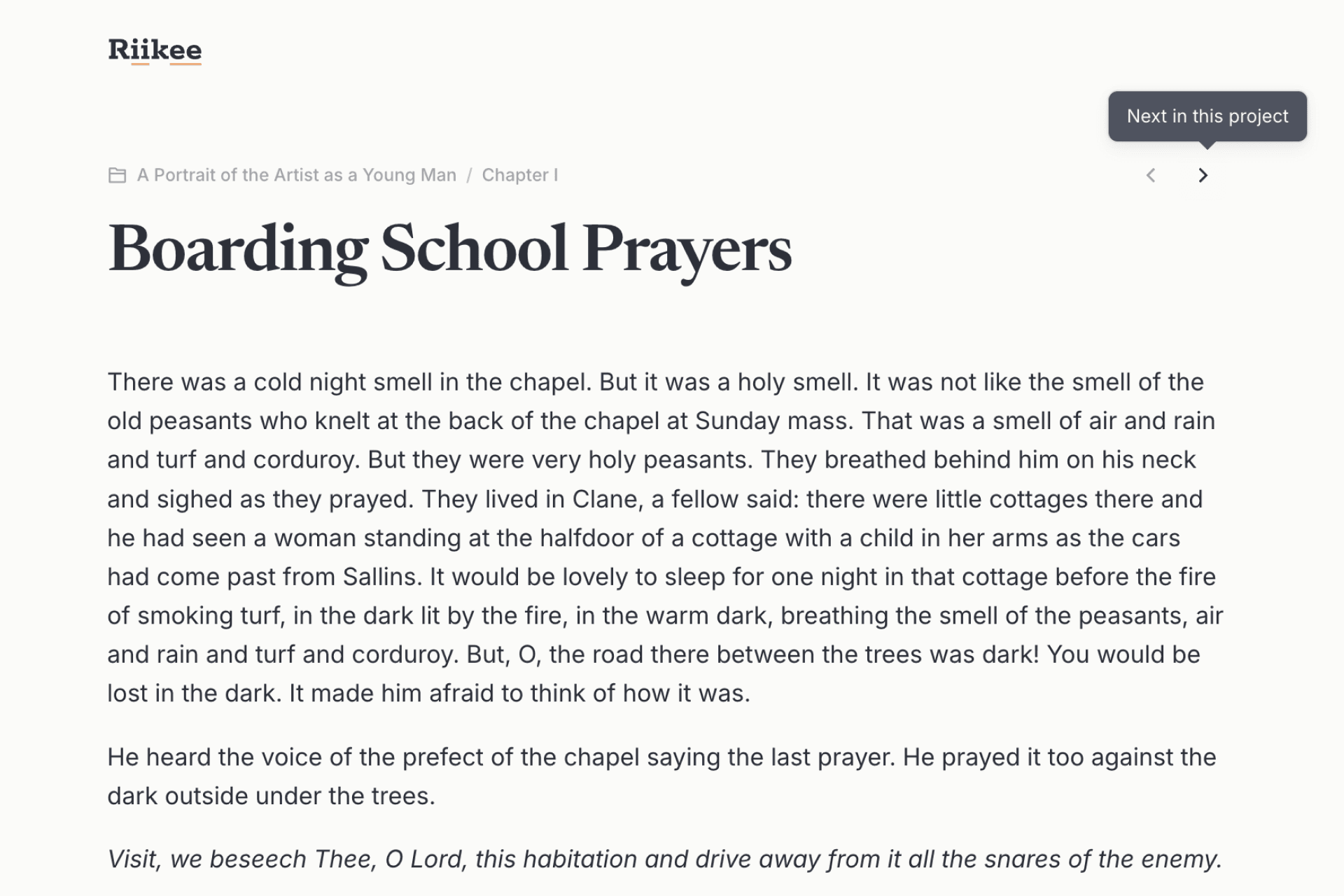
Review the work in its own order
Writing dates are useful for a journal, but they are not always the order of a book or extended essay. Project navigation follows the order of the work. Previous and next controls let you move through related Writings as a reader would, rather than following the timeline in which they happened to be drafted.
Sections can be collapsed while you look at the whole structure. This keeps a large Project readable without hiding where each Writing belongs.
Use goals as orientation, not pressure
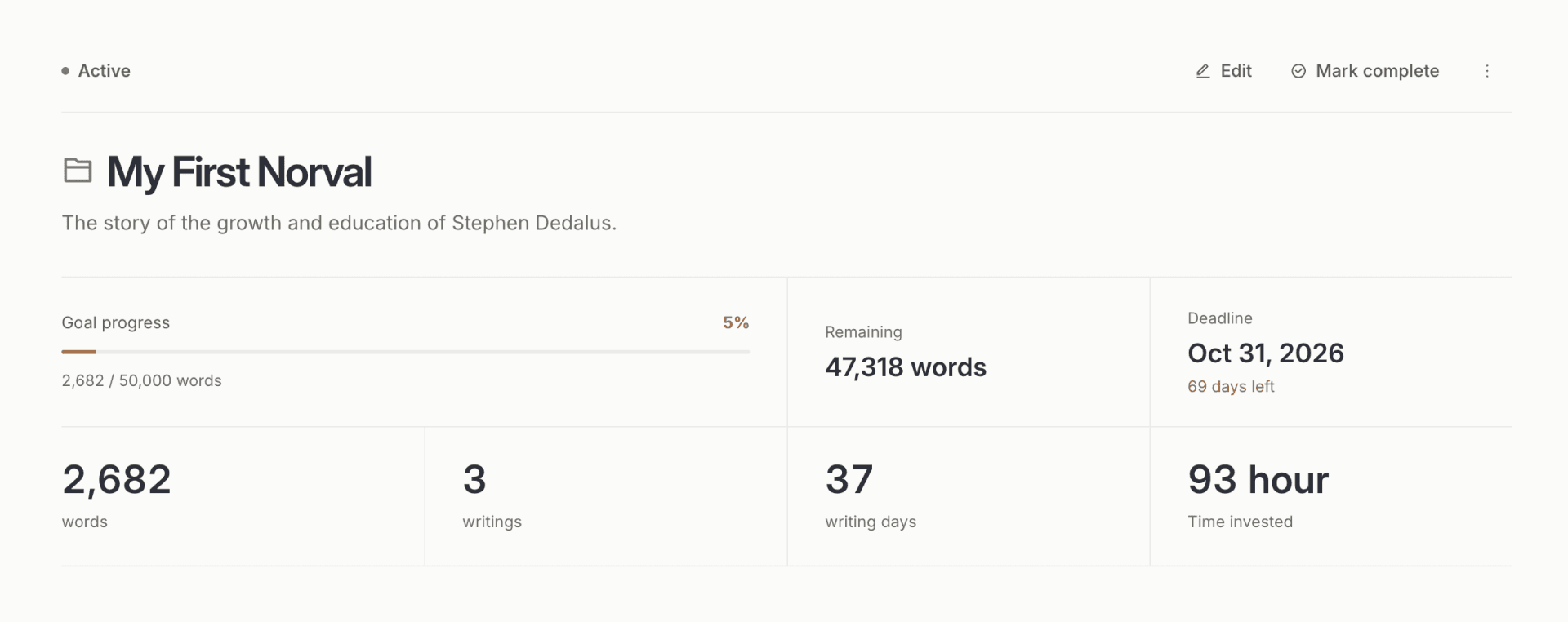
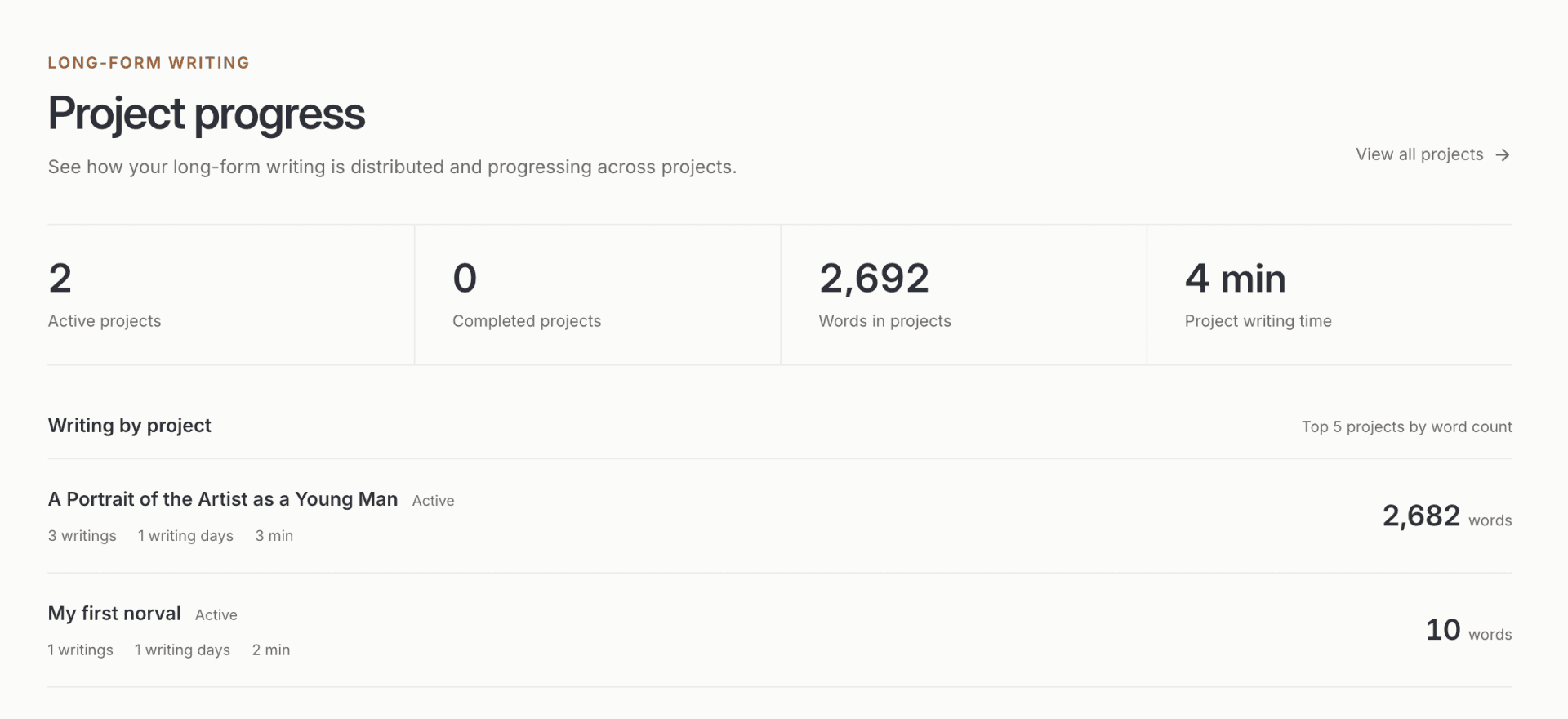
A Project can have a word target and a deadline. Its detail page shows current words, remaining words, writing days, time invested, and the distance to the date. Statistics also show how writing is distributed across Projects.
These numbers describe the work already done. They do not decide whether a chapter is finished or whether the writing is good. You can leave either goal unset when the work does not need one.
Close a phase without losing the work
Mark a Project complete when the writing phase is done. Archive it when it should leave the active list. An archived Project must be reopened before its Writings or structure can be edited, which makes the boundary visible and prevents accidental changes.
Projects are for an individual writing practice. They do not provide shared editing, assignments, approvals, or a publishing workflow. A Writing belongs to one Project at a time. Teams and production schedules still need a collaborative project-management tool.
Projects add structure around the writing while the page itself stays quiet. Read more about distraction-free writing / building a practice you can return to.
For step-by-step setup and editing instructions, read the Projects guide.
Questions about writing projects
What can I organize with a Project?
Projects work for novels, long essays, research, courses, collections, and any body of writing that needs a visible order. Sections can represent chapters, parts, themes, or stages.
Can I add something I already wrote?
Yes. You can choose existing Writings from the Library and add them to a Project, then place them in a Section or leave them unsectioned.
Does starting from a Section organize the new Writing automatically?
Yes. A Writing started inside a Section is associated with both that Project and Section from its first save.
Can one Writing belong to several Projects?
No. A Writing belongs to one Project at a time. Moving it to another Project changes its current Project and Section context.
Is Projects a collaboration or publishing tool?
No. Projects organize one writer’s work inside Riikee. They do not include co-editing, assignments, approvals, or publishing controls.