
You are halfway through a paragraph when you remember the example you need. You know you saved it. The trouble is that somewhere could mean browser bookmarks, a notes app, a screenshot folder, or a document called Ideas.
You can still picture the sentence. You may even remember where you were when you read it. None of that tells you which search box to use.
This is a familiar problem for people who write from research and return to the same subjects over months or years. They do not lack material. They have more than they can keep in working memory, and most of it stops moving once it has been saved.
Saving is the easy part
We have no shortage of places to put things. A bookmark keeps the page. A read-later app keeps an article. A notes app keeps whatever you remembered to copy. Each one handles the moment of discovery reasonably well.
Writing happens later. By then, you are not looking for a page you once liked. You are looking for the passage that explains the point you are trying to make now. The title of the original page may have little to do with that point, which makes a folder of links a poor substitute for the words themselves.
This is where many collections go quiet. Material enters them at the end of a reading session, but there is no clear path for it to enter a draft.
Some useful scraps are already yours
Not every useful passage comes from reading. Some of it is sitting inside the draft you are editing.
A paragraph can be good and still be wrong for the piece around it. Perhaps it takes the argument sideways. Perhaps it belongs much later. Sometimes you have followed the thought as far as you can for now, and the article needs to move on.
The usual choice is awkward. Leave the paragraph in place and weaken the draft, or delete it and trust that you will remember it when another piece needs it. A graveyard document helps a little, but after a few projects it becomes another long file you rarely open.
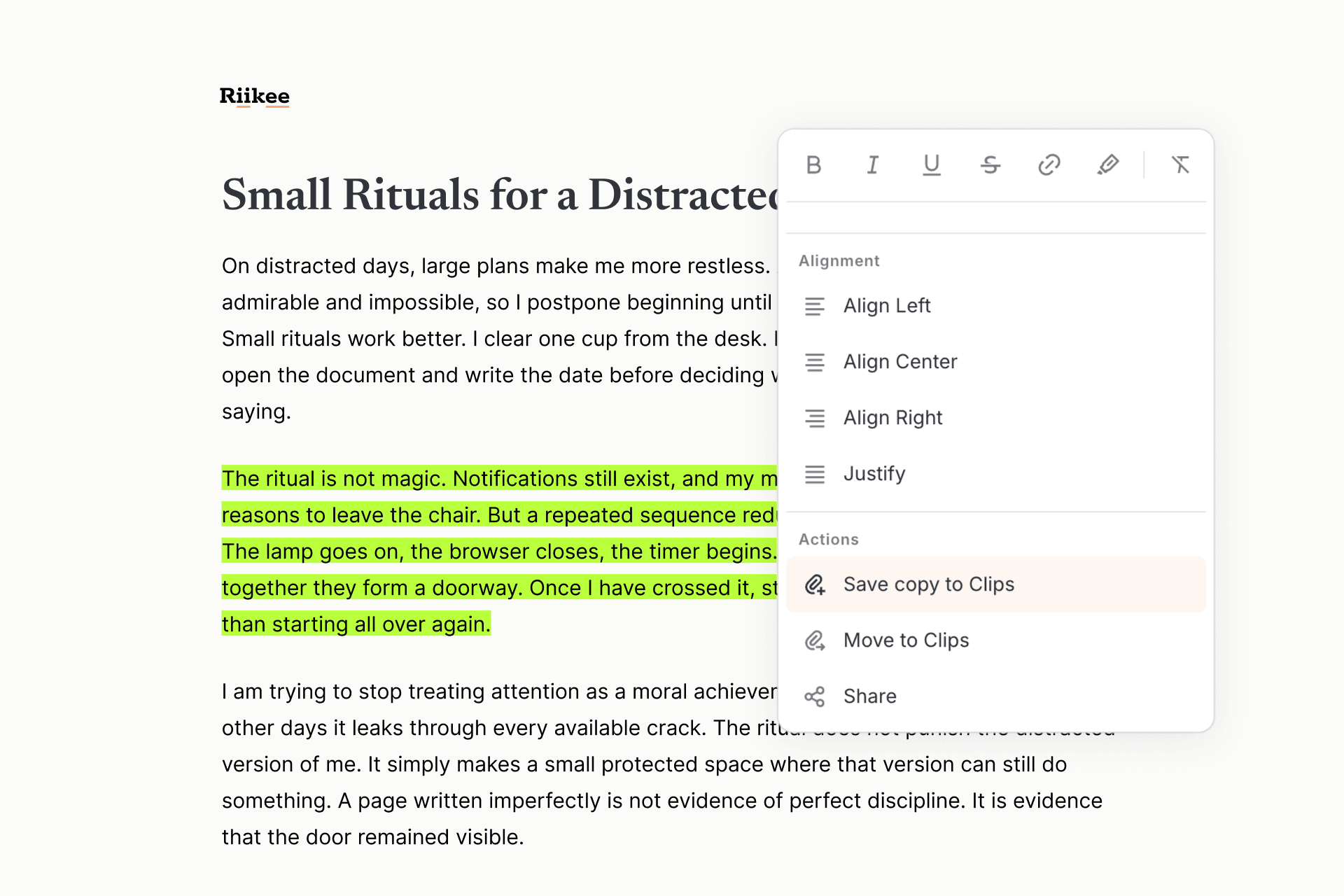
Riikee gives that paragraph somewhere more useful to go. You can save a copy to Clips and keep the original in place, or move the passage to Clips when the draft is better without it. The Clip keeps a reference to the Writing it came from.
Who notices this problem first?
The need becomes sharpest for writers who build work across many sessions. They might be drafting essays, newsletters, research-led nonfiction, podcast scripts, or a book that will take years to finish. The format matters less than the pattern.
These writers keep returning to a set of questions. They read with future work in mind. Old drafts remain useful because an idea that was too small for one piece may become the center of another. They also care about origin. Finding a sentence without its source is not enough when they need to understand or cite it later.
Someone who writes an occasional standalone post may never feel much friction here. Someone who keeps circling the same subject usually does. Their earlier drafts and reading notes contain useful material, but their tools often split it between reading and writing.
A place between discovery and the draft
Clips are for passages you expect to use again, even if you do not know how yet. They are smaller than documents and more specific than bookmarks. A Clip holds the text you cared about and keeps its source nearby.
That source may be one of your own Writings. It may also be a web page you were reading when a paragraph caught your attention. With the Riikee Chrome extension, you can select the passage on the page and save it without turning the whole article into a task for later.
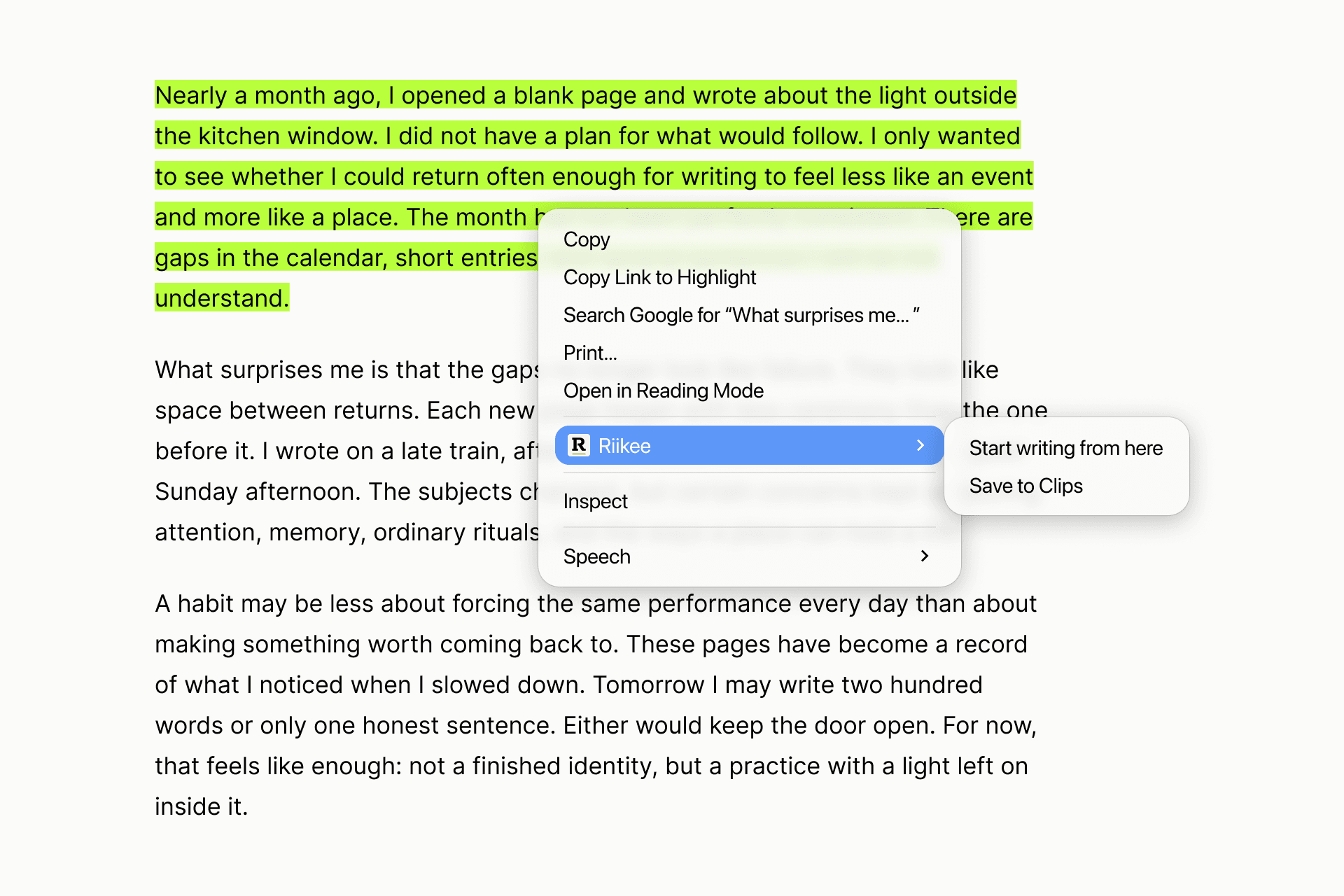
A bookmark records that the page might be worth revisiting. A Clip records which part mattered to your writing at the time. That difference makes the collection easier to search when you are working on a specific idea.
A collection needs a way back into the editor
A neat archive can still be a dead end. The useful moment comes later, when you are writing and need to see what you have already gathered.
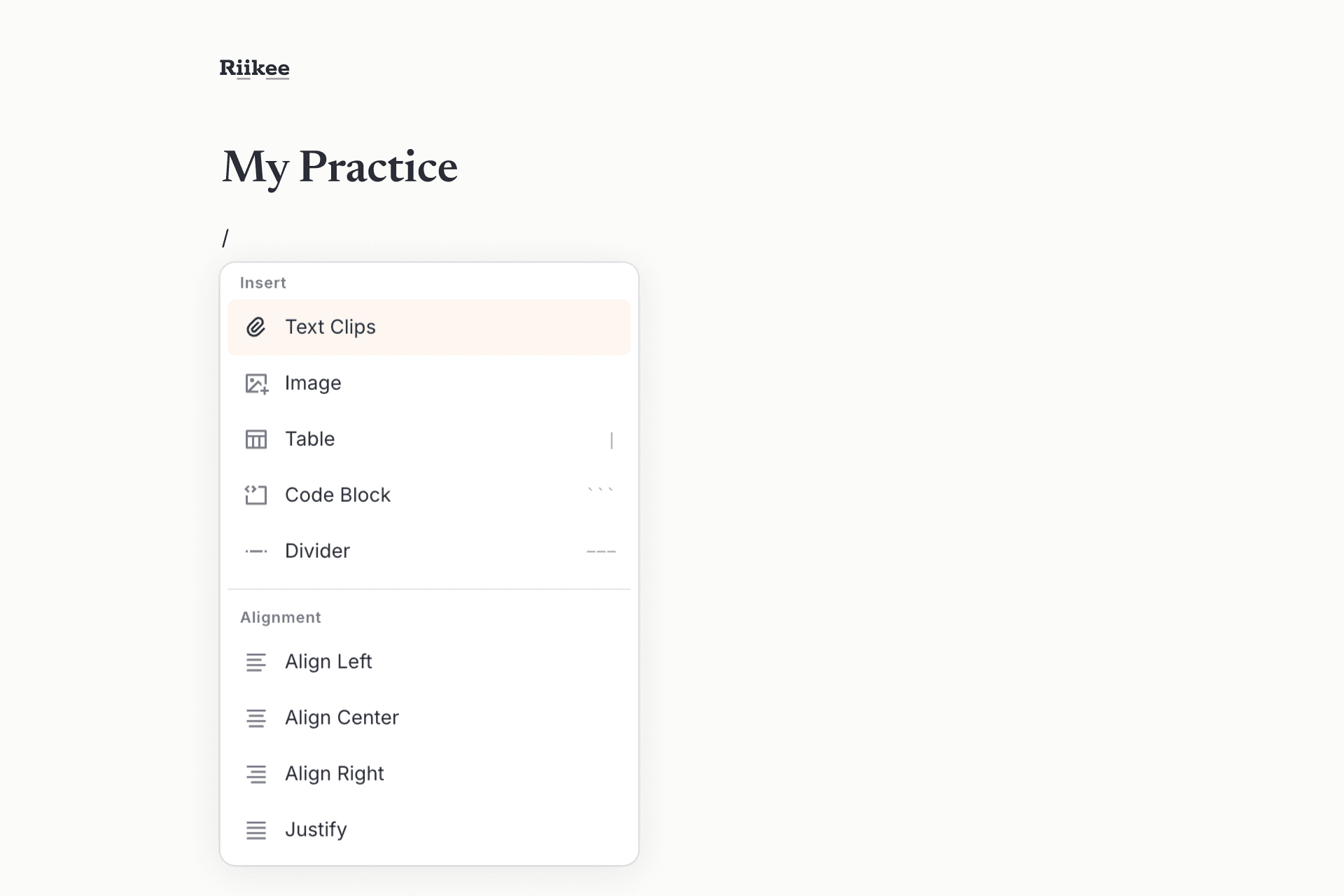
In Riikee, Clips live in Library, where you can search them, open their sources, or begin a new Writing from a passage. You can also open Text Clips from the Slash Menu while editing and insert a saved passage into the page in front of you. Its source remains available for reference.
You still make the editorial decision. You decide whether the old passage belongs, what needs rewriting, and whether it has anything left to say. Clips keep the material close enough for you to make that call while the draft is open.
Not every Clip needs to earn its keep
Most saved passages will not appear word for word in finished work. That is fine. Some will only lead you back to the original source. You may reread another and realize that you no longer believe the argument. One may sit unused for a year before giving a new draft its first sentence.
A loose, incomplete collection is enough if it makes useful material easier to recover. You should not have to predict the final destination of a passage when you save it.
The next time you cut a paragraph that is wrong for the current draft, you do not have to pretend it was worthless. And the next time a passage on the web speaks to something you have been writing around for months, you can keep the passage, its source, and the chance that it will find its way back to the page.
Read how to save and reuse passages with Clips
.